Output formats
nf-metro render takes its format from the output extension.
nf-metro render rnaseq.mmd -o rnaseq.svgnf-metro render rnaseq.mmd -o rnaseq.pngnf-metro render rnaseq.mmd -o rnaseq.webm--format overrides the extension when you need it to.
-o repeats, so one command writes several files:
nf-metro render rnaseq.mmd -o rnaseq.svg -o rnaseq.png -o rnaseq.mp4Every measurement below comes from examples/rnaseq_sections.mmd, the nf-core/rnaseq map: 54 stations, 191 edges, 6 lines, 1799×696 at its natural size.
Rendered map
Start here, and only move if something downstream refuses it.
An SVG is vector, so there is no resolution to pick. The same file is a thumbnail, a poster, and a zoomed-in inspection of one section.
The labels are real <text>, which a reader can select, a browser can search, and a screen reader can announce.
One file covers both colour schemes. The chrome colours emit as CSS light-dark(<light>, <dark>) and the root <svg> carries color-scheme: light dark, so the map follows whatever the reader’s OS or host page is set to. You do not export twice. Theming covers how to override that from a host page.
Every SVG also carries its own data manifest: a JSON block in <metadata> plus data-node-* attributes on the drawn elements. That is what lets a host page find the station called STAR and colour it, which is how live progress works.
--animate puts balls on the lines, moved by CSS offset-path. They run when the SVG is opened directly, referenced from an <img>, or inlined into a page.
--animate, inlined into the page. Its colours follow your system theme, where every raster below is baked to one.
Fonts are the one thing an SVG cannot settle by itself, because it names a family and the viewer supplies it. Two flags close that gap:
--embed-fontinlines a WOFF2 subset of Inter as an@font-faceblock. Adds 28 KB to this map, and the text stays selectable.--text-to-pathsconverts every label to outlines, which removes the font question entirely at the cost of selectable text. Needspip install "nf-metro[font]".
Embedding goes through the sizing, theming, and namespacing flags in full.
A still raster, for anywhere an SVG is turned away: a journal submission, a slide, a chat window.
nf-metro render rnaseq.mmd -o rnaseq.png --mode light --scale 2A rasteriser has no CSS cascade and no viewer colour scheme to consult, so the PNG path settles the picture before drawing it. It bakes one concrete palette, drops the var() chrome properties, and draws the labels with the bundled Inter rather than whatever the machine has installed. The same map therefore rasterises to the same bytes anywhere, which is what makes a committed PNG reviewable in a diff.
Pick the palette with --mode light or --mode dark. Without it the map’s own %%metro mode: applies, then the global default.
Size the output with --scale (default 2, for retina) or --raster-width for an exact pixel width. Neither is --width, which pads the canvas around a map drawn at its natural size instead of resizing the picture.
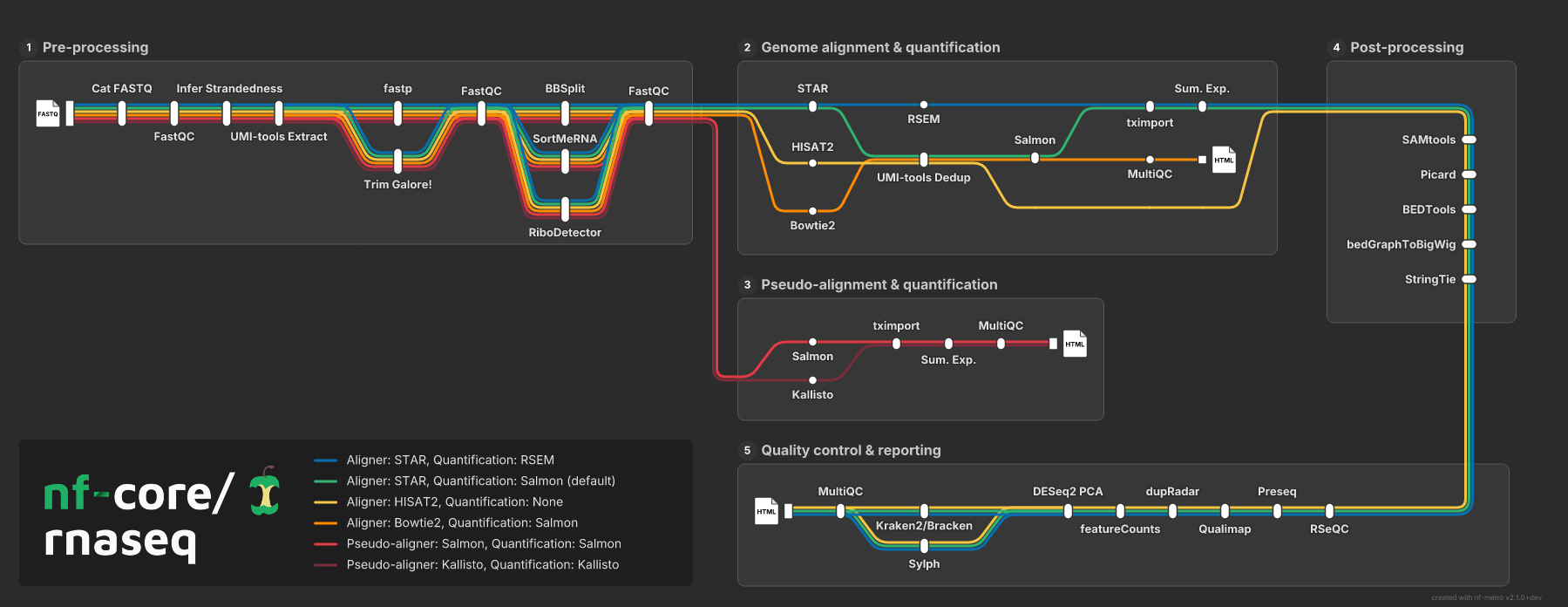
The same map at --scale 1: 1799×696.
Interactive HTML
Section titled “Interactive HTML”--format html writes one self-contained page: the SVG inlined, plus a small JS and CSS layer. No network, no build step.
nf-metro render rnaseq.mmd -o rnaseq.htmlDrag to pan, scroll to zoom, hover a station for a tooltip. Clicking a line in the legend isolates it, hides the stations and sections that line does not touch, and zooms to what is left. Esc or Reset restores the full view. An Embed… button hands you copyable inline-HTML, iframe, and static-SVG snippets.
Reach for it when the map is the thing being explored rather than a picture beside some prose.
Looping video
Section titled “Looping video”Four formats export the --animate motion as a loop, for the places a CSS animation will not run: a README, a slide, a conference talk.
nf-metro render rnaseq.mmd -o rnaseq.gif --duration 12 --fps 20The same 12-second loop at 20fps, in each of the four containers:
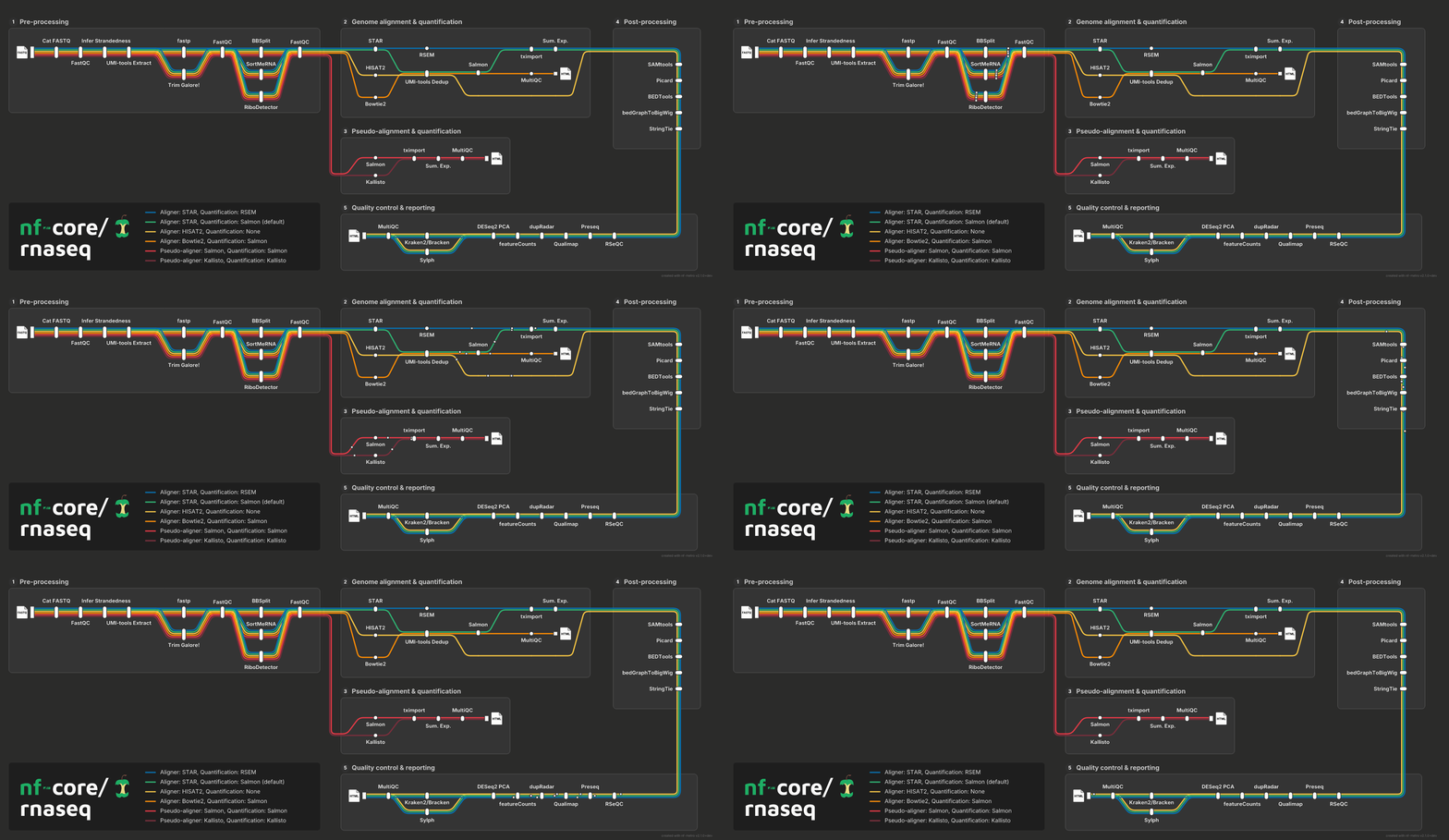
256-colour palette. Animates inside an <img>.

Full 24-bit colour. Animates inside an <img>.
H.264. Needs a <video> element.
VP9. Needs a <video> element.
The frames are drawn, not screen-recorded. Each ball is sampled from the same motion path the animated SVG drives it along, at the moment of the cycle that frame represents, so the exported motion closely follows the live SVG. The loop runs one full animation cycle and stops a frame short of repeating it, so it wraps without a stutter.
--fps sets the frame rate and --duration sets the loop length, compressing the map’s own animation cycle into it. Leaving --duration off keeps the balls at exactly the speed the SVG moves them, which for a large pipeline can be a 40-second loop. --scale and --raster-width size the frames as they size a PNG, except that a video defaults to natural size where a still doubles.
Nothing is capped. Every frame is a full rasterisation, so a long smooth loop of a large map costs real time; nf-metro quotes the frame count and frame size before it starts, then shows a progress bar. See the CLI reference for the flags.
Which of the four
Section titled “Which of the four”The split that matters is what element the format needs to play in.
GIF and WebP animate inside an <img>, which means they work in a GitHub README, a markdown file, and anywhere else that renders an image and gives you no <video> tag. Between them, WebP keeps full 24-bit colour with a lossless encode, where GIF quantises the loop to one shared 256-colour palette. GIF plays in everything ever written; WebP wants Safari 14 or newer and trips up some older tooling.
MP4 and WebM are both roughly half the size of the <img> formats, but need a real <video autoplay loop muted playsinline>. Which of the two wins on bytes depends on the clip - they usually land close together, and neither reliably beats the other by much. MP4 decodes everywhere, so it is the safer default, and WebM is worth measuring when you know the audience can play VP9.
At a glance
Section titled “At a glance”One loop of the rnaseq map, 12 seconds at 20fps, all at natural size:
| Format | Kind | Size | Plays in | Good for |
|---|---|---|---|---|
.svg | vector | 238 KB | anything | the default: docs, READMEs, embedding |
.html | vector + JS | 520 KB | a browser | exploring a big map |
.png | raster still | 138 KB | anything | journals, slides, chat, byte-stable diffs |
.gif | raster loop | 337 KB | <img> | a README loop that works everywhere |
.webp | raster loop | 395 KB | <img> | a README loop, full colour, lossless |
.mp4 | raster loop | 217 KB | <video> | slides, talks, a docs page |
.webm | raster loop | 213 KB | <video> | the same, where VP9 is known to decode |
The PNG is at --scale 1 to match the video frames; at the default --scale 2 it is 310 KB. These are one measured snapshot, not a pinned guarantee - the encoder libraries can shift a few percent between versions.
Picking one
Section titled “Picking one”- Embedding a map in docs, a README, or an app:
.svg. - Something refuses SVG:
.png, with--modeset. - The map is large and the reader needs to dig into it:
.html. - You want the animation in a README:
.gif, or.webpif the colour matters more than reaching every viewer. - You want the animation in a page or a deck you control:
.mp4.