
CLI Reference
RustQC provides a single rna subcommand that runs all RNA-Seq QC analyses in
one pass over the BAM file.
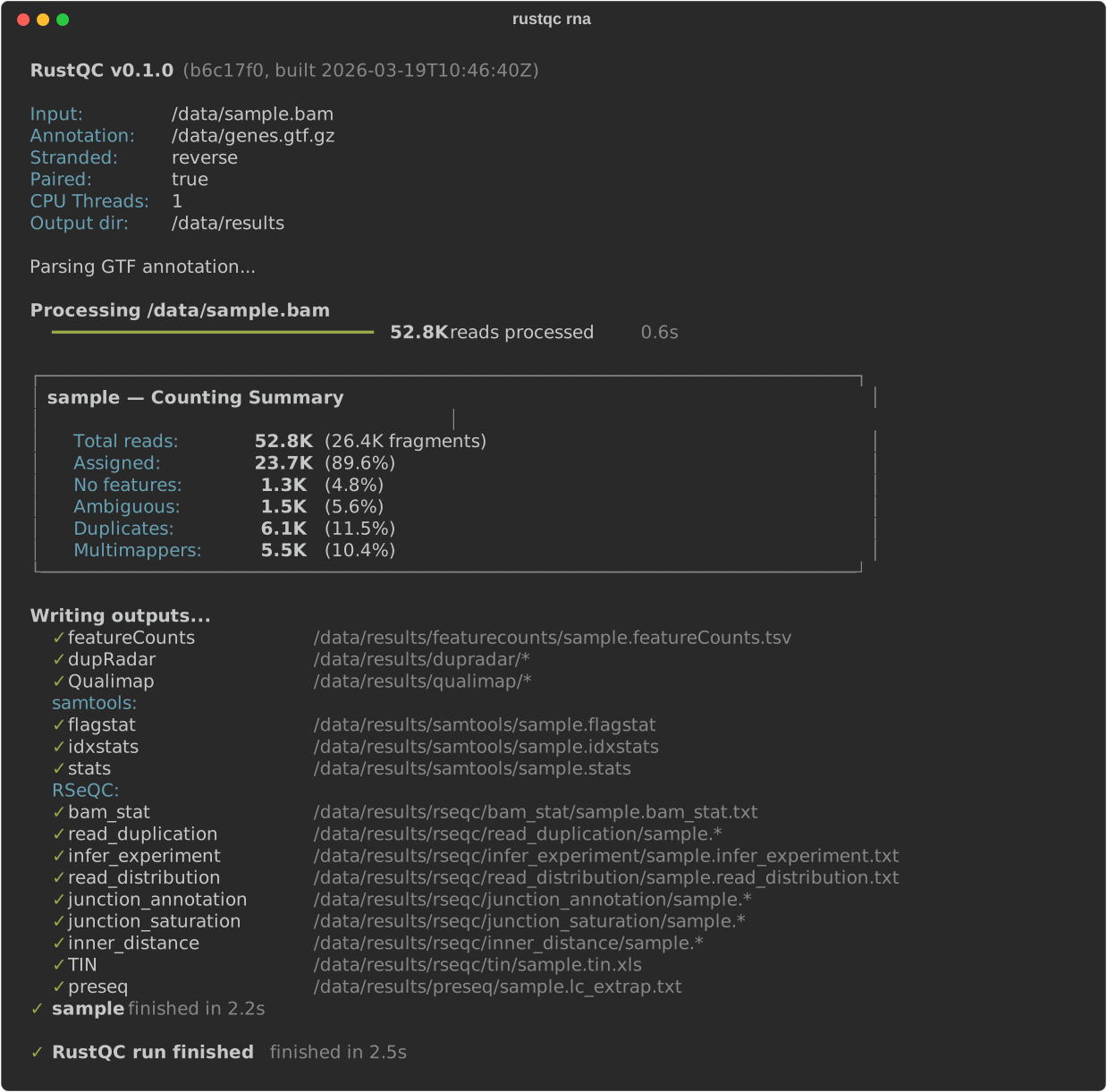
RNA-seq quality control: duplicate rate analysis (dupRadar equivalent), featureCounts-compatible read counting with biotype summaries, 8 RSeQC-equivalent tools (bam_stat, infer_experiment, read_duplication, read_distribution, junction_annotation, junction_saturation, inner_distance, TIN), Qualimap RNA-seq QC, preseq library complexity, and samtools-compatible outputs.
Synopsis
Section titled “Synopsis”rustqc rna <INPUT>... --gtf <GTF> [OPTIONS]Positional arguments
Section titled “Positional arguments”<INPUT>...
Section titled “<INPUT>...”One or more paths to coordinate-sorted, duplicate-marked alignment files.
Accepted formats are SAM, BAM, and CRAM. A BAM/CRAM index
(.bai / .csi) enables multi-threaded processing; without one, RustQC
falls back to a single counting thread.
Multiple files can be passed and will be processed in parallel, with each file producing its own set of output files. Threads are divided evenly among concurrent jobs.
# Single filerustqc rna sample.bam --gtf genes.gtf
# Multiple filesrustqc rna sample1.bam sample2.bam sample3.bam --gtf genes.gtf
Annotation options
Section titled “Annotation options”--gtf <GTF> / -g <GTF>
Section titled “--gtf <GTF> / -g <GTF>”Path to a GTF gene annotation file (plain or gzip-compressed). Required.
The GTF must contain exon features with a gene_id attribute.
Transcript-level structure (exon blocks, CDS features) is extracted automatically
and used by all analyses: dupRadar, featureCounts, all 8 RSeQC tools (including TIN),
Qualimap, preseq, and samtools.
Gzip compression is detected automatically by inspecting the file header (magic
bytes), so the .gz extension is not required.
Individual tools can be disabled via the configuration file.
-o, --outdir <DIR>
Section titled “-o, --outdir <DIR>”Output directory for all result files. Created if it does not exist.
Default: . (current working directory)
-s, --stranded <unstranded|forward|reverse>
Section titled “-s, --stranded <unstranded|forward|reverse>”Library strandedness for strand-aware read counting:
| Value | Meaning |
|---|---|
unstranded | Count reads on either strand |
forward | Forward stranded (read 1 maps to the transcript strand) |
reverse | Reverse stranded (read 2 maps to the transcript strand) |
Default: unstranded
-p, --paired
Section titled “-p, --paired”Enable paired-end mode. When set, read pairs are counted as a single fragment. Both mates must overlap the gene for the pair to be assigned.
Default: single-end mode
-t, --threads <N>
Section titled “-t, --threads <N>”Number of threads for parallel processing. Parallelism is applied across chromosomes within each BAM file, so the effective speedup depends on the number of chromosomes with mapped reads.
Default: 1
-Q, --mapq <N>
Section titled “-Q, --mapq <N>”Minimum mapping quality (MAPQ) threshold used by all RSeQC tools. Reads below this threshold are excluded from the “uniquely mapped” counts.
Default: 30
-r, --reference <PATH>
Section titled “-r, --reference <PATH>”Path to a reference FASTA file. Required when using CRAM input files, as CRAM files store sequences relative to a reference.
--skip-dup-check
Section titled “--skip-dup-check”Skip the pre-flight validation that checks for duplicate-marking tool signatures
in the BAM header. By default, RustQC inspects @PG header lines for known
duplicate-marking tools (Picard MarkDuplicates, samblaster, sambamba, biobambam,
etc.) and exits with an error if none are found.
Use this flag if your BAM was marked by an unrecognized tool, or if you want to run on a file without duplicate marking for testing purposes.
--biotype-attribute <NAME>
Section titled “--biotype-attribute <NAME>”GTF attribute name to use for biotype grouping in the featureCounts biotype output files.
- Ensembl GTFs typically use
gene_biotype - GENCODE GTFs typically use
gene_type
If not specified, RustQC defaults to gene_biotype and auto-detects the
attribute. If the specified attribute is not found in the GTF, a warning is
printed and biotype counting is skipped.
--sample-name <NAME>
Section titled “--sample-name <NAME>”Override the sample name used for output filenames. By default, the sample name
is derived from the BAM file stem (e.g., sample.markdup.sorted.bam produces
output files named sample.markdup.sorted.*).
When this flag is set, the provided name is used instead, so output files are
named <NAME>.*. This is useful when a pipeline already knows the clean sample
ID and wants output filenames to match, without relying on BAM filename
conventions.
rustqc rna sample.markdup.sorted.bam --gtf genes.gtf --sample-name sample--flat-output
Section titled “--flat-output”Write all output files directly into the output directory instead of organizing
them into subdirectories. By default, RustQC creates dupradar/,
featurecounts/, rseqc/<tool>/, qualimap/, preseq/, and samtools/
subdirectories under the output directory. With --flat-output, all files are
written to the top-level output directory.
This can also be set in the configuration file under
the rna: section as flat_output: true.
Default: false (nested subdirectories)
-j, --json-summary [<PATH>]
Section titled “-j, --json-summary [<PATH>]”Write a JSON summary of all QC results to the specified path. If no path is
given, the summary is written to stdout. Use "-" explicitly for stdout.
-c, --config <PATH>
Section titled “-c, --config <PATH>”Path to a YAML configuration file for advanced settings such as chromosome name mapping, per-output-file toggles, and enabling/disabling individual tools. See the Configuration page for the full reference.
-q, --quiet
Section titled “-q, --quiet”Suppress all output except warnings and errors.
-v, --verbose
Section titled “-v, --verbose”Show additional detail during processing.
RSeQC tool options
Section titled “RSeQC tool options”These flags control parameters for specific RSeQC-equivalent analyses. Each
tool runs by default as part of rustqc rna and can be disabled via the
configuration file.
| Option | Default | Description |
|---|---|---|
--skip-tin | false | Skip the TIN (Transcript Integrity Number) analysis |
--tin-seed <N> | random | Random seed for reproducible TIN results |
--skip-read-duplication | false | Skip the read duplication analysis |
infer_experiment
Section titled “infer_experiment”| Option | Default | Description |
|---|---|---|
--infer-experiment-sample-size <N> | 200000 | Maximum number of reads to sample |
junction_annotation / junction_saturation
Section titled “junction_annotation / junction_saturation”| Option | Default | Description |
|---|---|---|
--min-intron <N> | 50 | Minimum intron size to consider (shared by both tools) |
junction_saturation
Section titled “junction_saturation”| Option | Default | Description |
|---|---|---|
--junction-saturation-seed <N> | 42 | Random seed for reproducible sampling |
--junction-saturation-min-coverage <N> | 1 | Minimum reads for a junction to count as detected |
--junction-saturation-percentile-floor <N> | 5 | Sampling start percentage |
--junction-saturation-percentile-ceiling <N> | 100 | Sampling end percentage |
--junction-saturation-percentile-step <N> | 5 | Sampling step percentage |
inner_distance
Section titled “inner_distance”| Option | Default | Description |
|---|---|---|
--inner-distance-sample-size <N> | 1000000 | Maximum read pairs to sample |
--inner-distance-lower-bound <N> | -250 | Histogram lower bound |
--inner-distance-upper-bound <N> | 250 | Histogram upper bound |
--inner-distance-step <N> | 5 | Histogram bin width |
Preseq options
Section titled “Preseq options”These flags control parameters for the preseq library complexity extrapolation.
Preseq runs by default and can be skipped entirely with --skip-preseq.
| Option | Default | Description |
|---|---|---|
--skip-preseq | false | Skip the preseq library complexity analysis entirely |
--preseq-max-extrap <N> | 1e10 | Maximum extrapolation depth in total reads |
--preseq-step-size <N> | 1e6 | Step size between extrapolation points |
--preseq-n-bootstraps <N> | 100 | Number of bootstrap replicates for confidence intervals |
--preseq-seed <N> | 408 | Random seed for bootstrap reproducibility |
--preseq-seg-len <N> | 100000000 | Maximum merged PE fragment length in bp |
Exit codes
Section titled “Exit codes”| Code | Meaning |
|---|---|
0 | Success |
1 | Error (missing input, invalid arguments, BAM processing failure, etc.) |
Error messages are printed to stderr with context about the failure.